How To Use Mango
·
Overview
Mango is Mage’s best image generation model and an exclusive model developed through a partner. Think of it as a fine-tuned version of one of the top image generation models on the market.
Mango is a versatile model for text-to-image generation, image editing, and reference-based creation.
Text-to-Image
Mango excels at natural language prompting. Clearly describe the subject, action, and environment using natural language. Add details such as style, color, lighting, or composition when needed.
Example: A glamorous woman in an elegant evening gown, leaning against a balcony railing at night, warm golden lighting, subtle curves emphasized, cinematic composition
Example: A beautiful, female fashion model in a sheer outfit, posing confidently in a minimalist studio, dramatic lighting, high-contrast shadows, editorial photography style
Image Editing
With Mango, you can edit images by adding, removing, replacing, or modifying elements using text prompts. Clearly describe the elements to change and the desired outcome.
Example: Remove the people in the background and replace them with a clean, empty street
Example: Replace the character’s outfit with a black leather jacket and fitted jeans, maintaining the same pose and lighting
Example: Change the facial expression to a subtle smile while keeping the overall style realistic
Example: Keep the composition the same, but render the image in a cinematic photography style with shallow depth of field and dramatic contrast.
Reference-Based Creation
Mango offers a reference image feature for composite editing, such as combining elements, replacing subjects, or applying style transfer. When using this feature, clearly specify what to reference or edit from each image.
Example: The character in Image 1 meets the character in Image 2. Apply the location from Image 3
Example: The character in Image 1 is holding the object from Image 2. The character in Image 3 is walking by
Example: The character from Image 1 is doing a pose from Image 2
Example: Replace the character in Image 2 with the character from Image 1, and apply the style of Image 3
How To Add *Multiple Reference Images
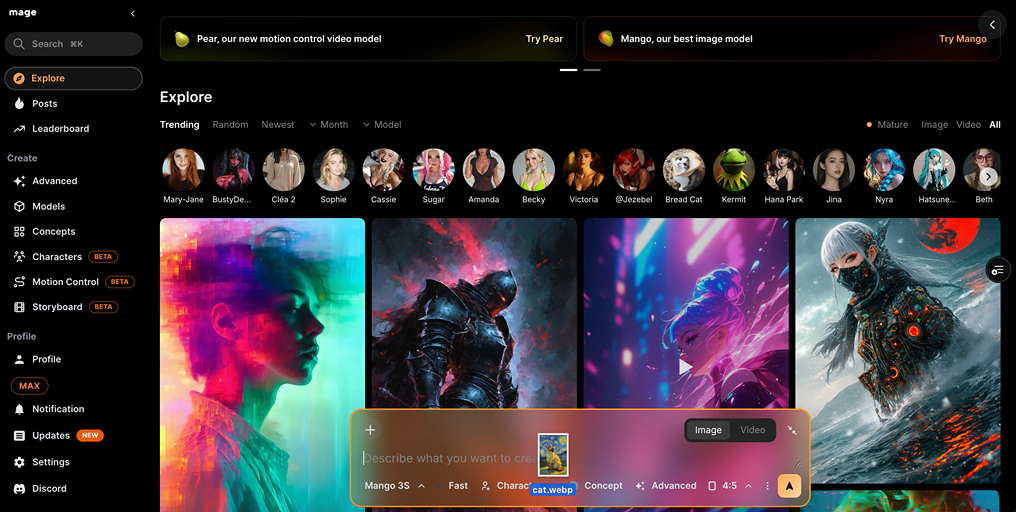
Simply drag and drop images or select them directly from the Prompt Bar
In Advanced, the Image input is counted as Image 1, and additional images are labeled Image 2, Image 3, and so on
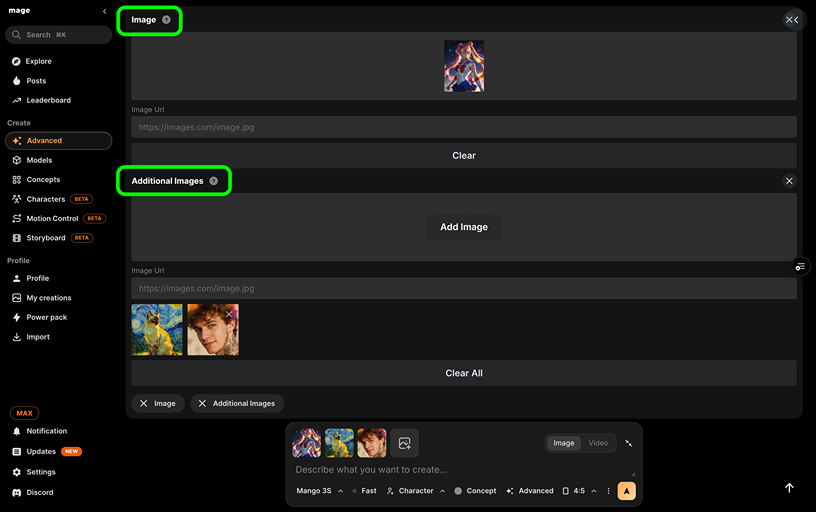
*You can add up to 10 reference images, but the best results are achieved with fewer than 5 reference images.
Additional Notes
Mango, Mango 2, and Mango 3S are currently available with Unlimited Generations for Pro, Pro Plus, and Max members
Fast Mode for Mango, Mango 2, and Mango 3S is available via Gems for all Premium members
Mango 2 and Mango 3S support the new Characters feature:
https://www.mage.space/characters