How To Import Models
·
Overview
You can import any compatible base AI models, LoRAs, or Textual Inversions into Mage. Here are the models you can import:
SDXL, Pony, Illustrious, SD1.5, and more checkpoints
LoRA for SD1.5, SDXL, Flux, Chroma, Qwen, and Z-Image
LoRA for Hunyuan and Wan Video
This feature is exclusively available to Pro Plus members and through Power Packs.
How to Import
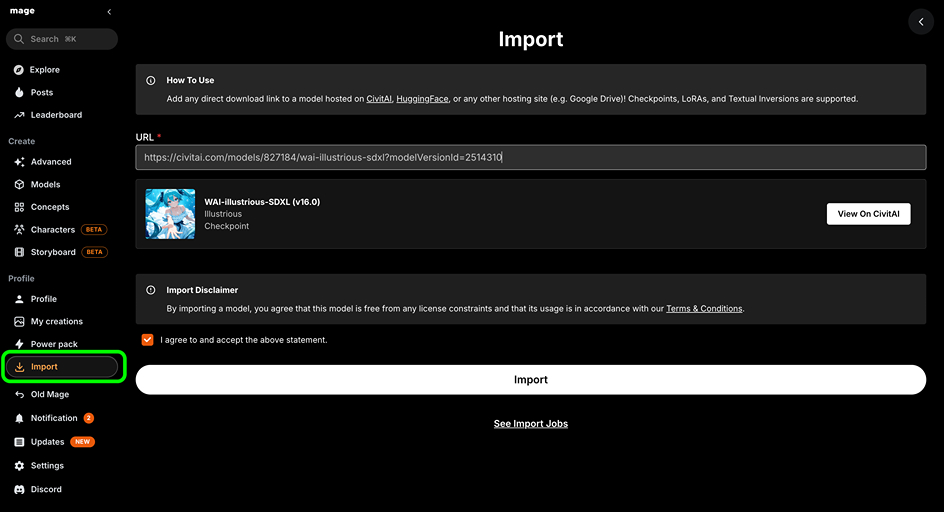
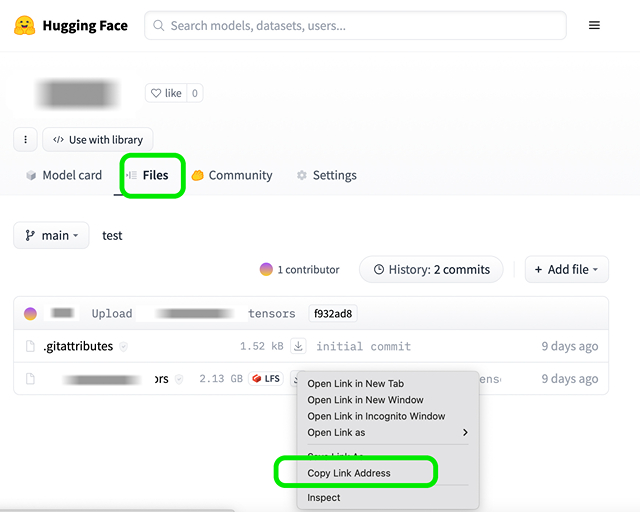
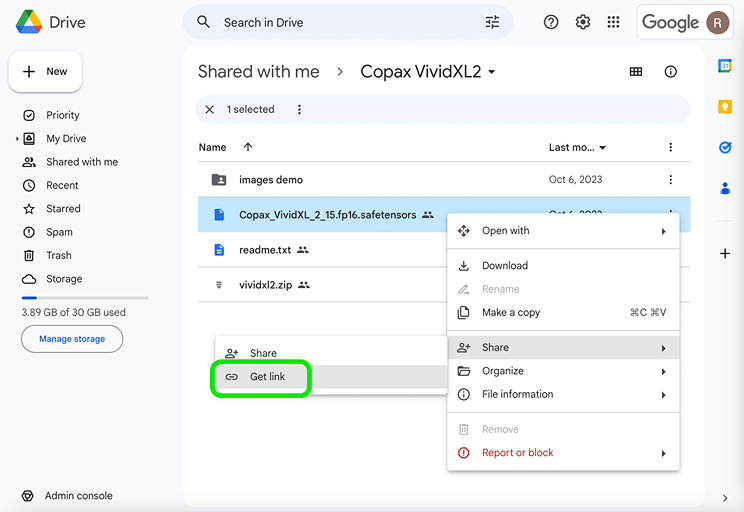
You can add any direct download link to a compatible model hosted on CivitAI, HuggingFace, or any other hosting site (example: Google Drive).
For CivitAI, simply use the model page link
For HuggingFace, use the download link
For a custom model, upload the file to Google Drive and use the download link. Make sure the file is set to “Public” during the importing process
How to Use
Once imported, click the “Use This” button, and it will automatically apply the model or LoRA in Advanced. Alternatively, in Advanced you can:
Go to the Model or LoRA section
Use the "Imports" tag to filter and view all imported models
Select your imported model and start creating!
Note: For LoRAs, make sure you choose the correct base model. For example, Flux LoRAs will only appear once you select Flux Dev as the base model.
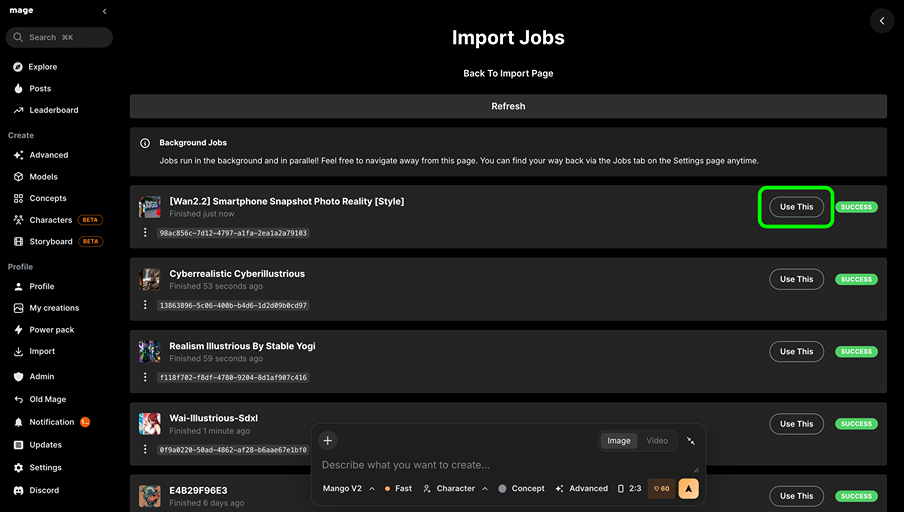
You can import any model here: https://www.mage.space/import